
Connect
Your AI Agent,
Connected
On-Chain
Read your wallets, DeFi positions and prices from Claude, Codex or any MCP agent. No API key. Read-only.
Step 1 · Connect
Add Sentio to your AI
Sign in once. No API key.
Connect to Claude
Opens Claude with Sentio Connect pre-filled. Click Add, sign in once — done. Works on claude.ai, Claude Desktop and mobile.
MCP URLhttps://connect.sentio.xyz/v1/mcp
Step 2 · Ask
Then ask it anything on-chain
Pick a topic to see what your agent can answer.
Claude · Sentio Connect connected10 tools
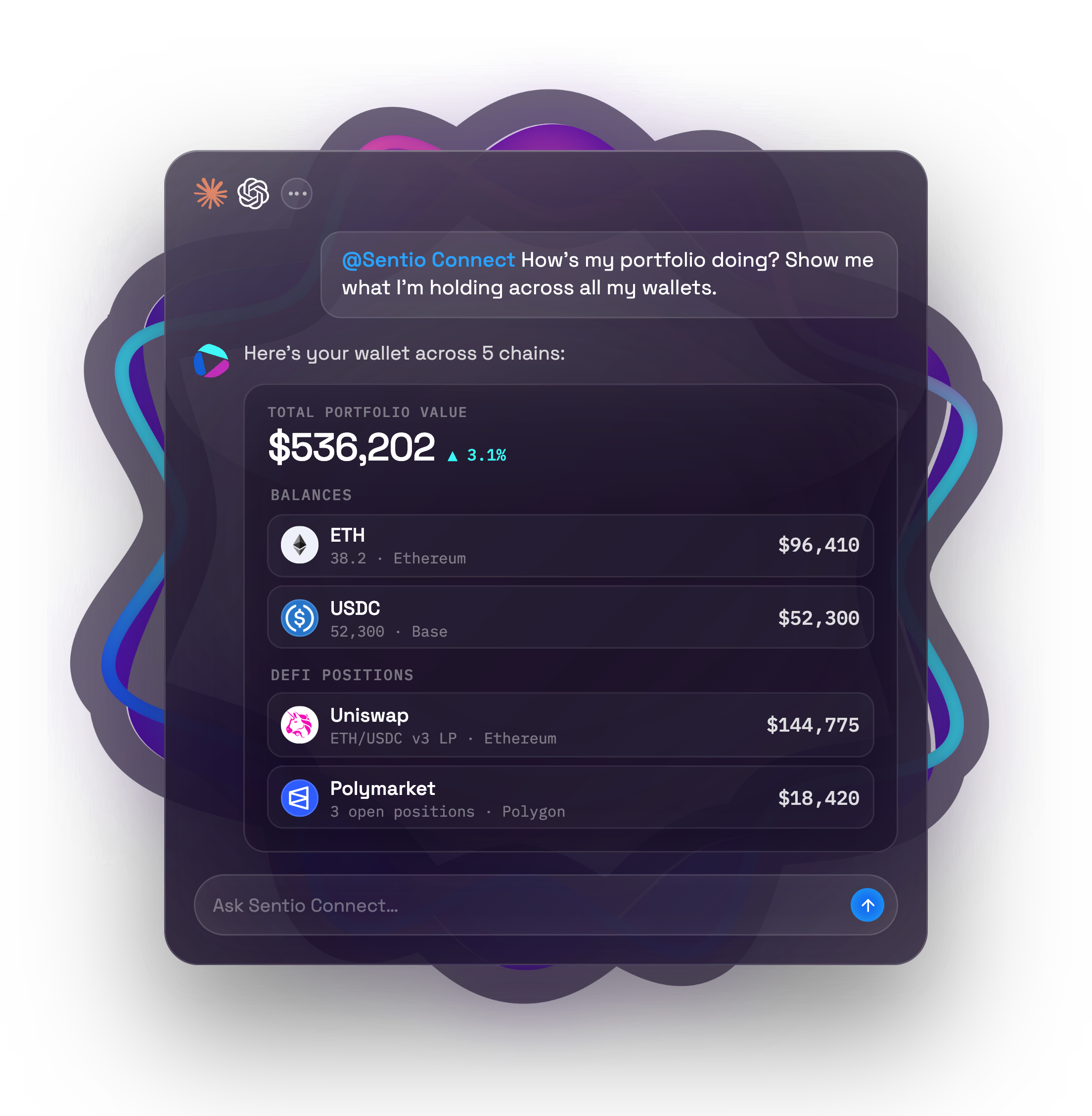
@Sentio Connect How's my portfolio doing? Show me what I'm holding across all my wallets.

get_portfolio_value212ms Ethereum41%$219,842+2.4%
 Sui27%$144,775-6.4%
 Arbitrum16%$88,120+0.8%
 BNB Chain11%$61,300+1.1%
Here's your portfolio across 5 chains. Ethereum and Sui carry most of the value:
Total portfolio value$536,202+3.1%
By chain
Ethereum41%$219,842+2.4%Sui27%$144,775-6.4%Arbitrum16%$88,120+0.8%BNB Chain11%$61,300+1.1%Ask Sentio Connect…
Illustrative data
Prompt library
Try a prompt in one click
Each prompt opens in Claude, ready to send. Not connected yet? Claude asks you to connect Sentio first.
Portfolio
Daily check-in
“What are my tracked wallets worth right now, and how is that split across chains?”
DeFi
Positions across chains
“List my DeFi positions on Ethereum and Sui with assets, debt and rewards for each.”
History
Price lookback
“What was ETH's price last Monday at 00:00 UTC, and how does that compare to now?”
History
Position change
“How did the size of my Suilend position change over the last 7 days?”
Built for on-chain questions
What your agent gets once Sentio Connect is added — and what it can never do.

 ···10 tools
What are my DeFi positions on Sui and Ethereum worth? Which protocol is biggest?
Your DeFi positions total $158,985 across Ethereum and Sui. Uniswap ETH/USDC LP is the largest at $144,775 (91%), followed by Suilend at $14,210.
get_defi_positions
Ask about your portfolio…
Ask, don't query
Plain-language access to every position
Balances, DeFi positions and historical prices — indexed by Sentio and answered by your agent in one turn. No dashboards, no SQL, no ABI hunting.
Get Started
Allocation by chain
$536K5 CHAINS
Ethereum$219,84241%Sui$144,77527%Arbitrum$88,12016%BNB Chain$61,30011% Base$22,1655%
Rich cards, not raw JSON
Results rendered as live cards
Token balances, positions and allocation charts render inline as MCP Apps cards — switch chart and table, open 24h / 7d position history in place.
Get Started
Access scoperead-only connection
Agent can read
Token balances
DeFi positions
Historical prices
Position history · 24h / 7d
No tool exists to
Transfer funds
Approve tokens
Sign transactions
Hold or custody your assets
Separate read / write scopesPer-data-type togglesEvery call audited
Read-only by design
Your agent can look. It can't touch.
There is no transfer, approval or signing tool — the only write is adding or removing the wallets you track. Read and write scopes are separate, every data type can be switched off, and every call is audited.
Read Docs
EthereumLiveOPOptimismLive
BNB ChainLiveMMonadLive
BaseLiveArbitrumLiveAVAvalancheLive
SuiLiveMore chains on the way
Multi-chain
8 chains, one endpoint
Ethereum, Optimism, BNB Chain, Monad, Base, Arbitrum, Avalanche and Sui — EVM and Sui DeFi in a single call. Same tools, same cards everywhere — and more chains on the way.
Get Started
FAQ
Questions, answered
Do I need an API key?
No. Sign in once and Connect runs on Sentio's own backend — nothing to provision, no third-party account to create.
Can my agent move funds?
No. Connect is read-only: none of its 10 tools can transfer, approve or sign. The only write action is adding or removing the wallets you track.
Which chains are supported?
Ethereum, Optimism, BNB Chain, Monad, Base, Arbitrum, Avalanche and Sui today — EVM and Sui DeFi positions in a single call. More chains are on the way; tell us which one you need next.
How fresh is the data?
Balances and positions come from Sentio's indexer. Portfolio totals may be served from stored hourly samples (up to six hours old) or a live read, so a very recent transfer can take a while to show up. Every result carries an asOf timestamp that tells you how fresh it is. Historical prices are available for any point in time.
What if some data can't be loaded?
The response is marked partial and lists what is missing. A failed read is never reported as $0.
What can Connect see?
Your tracked wallets by default, plus any address you explicitly ask your agent to look up. It only reads public on-chain data, never your keys. Each data type can be switched off, and every tool call is recorded in your audit log.